Meet Hearth! The Hybrid Company In-Office Planning Solution

Sam Brothers, Former JavaScript Development Intern,
Ryan Dioneda, Former Application Developer Intern, and
Silvana Martinez, Former Product Design Intern
Article Categories:
Posted on
Hearth helps employees see when teammates plan to be in the office, making it easier to show up together. No mandates, no organizing required.
This summer, three interns set out to solve an ambitious problem most remote-first companies with offices, like Viget, face – knowing who's in when.
How we solved it (and why it’s cool)
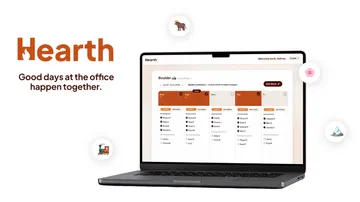
Hearth is a shared office planning tool. It gives you one place to set and update your own schedule, but more importantly, to see what everyone else is planning at the same time. Our target users are hybrid employees who work primarily from a single office at least once a week. We also appeal to users who work remotely but occasionally visit different office locations.
Hearth is special because it combines decision-making about scheduling with unmatched visibility and ease of use. It has the robust scheduling capabilities of a calendar app with the convenience of a communal office whiteboard. We made office planning easier by building the experience around a simple Monday-through-Friday view, which are the only days users need to think about whether or not they’re going into the office.
Unlike traditional calendars, Hearth focuses specifically on working locations. By removing the clutter of timed events and focusing on day-level office attendance, it’s easier to see who will be in the office and plan accordingly. We also made sure that updating your own plans is extremely simple. Day-level interactions allow you to make changes quickly while reducing cognitive load.
Hearth also handles visits to different offices seamlessly, ensuring these scenarios are clearly communicated to users. You can view what’s happening anytime at any office, whether you're planning future travel or simply want to see what’s going on.
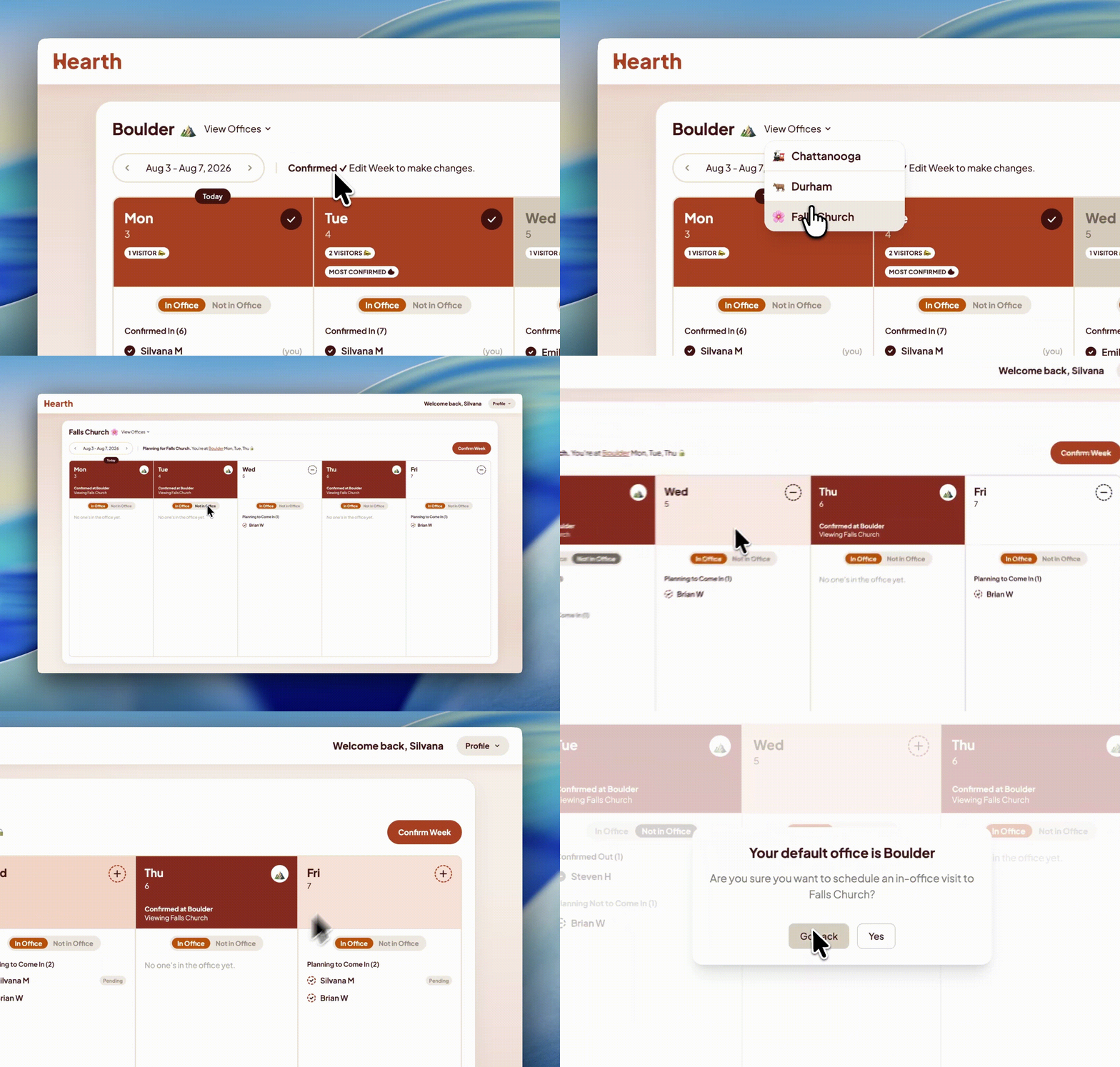
When building Hearth, we realized people’s plans change all the time. That’s why we prioritized a weekly view, so no one has to make plans too far out, and it’s why we allow for uncertainty in people’s statuses. Planning yes and planning no to allow you to communicate your intentions without feeling guilty if you have to change your mind.
Most importantly, we wanted to build a tool that would outlast our internship. We didn’t want to make a short-lived novelty that gets forgotten over time. This is especially important because part of the value in Hearth is seeing what other people are doing, meaning more users makes the product more useful for each person. We wanted to avoid the problem of having to remember that thing you're supposed to do, that those interns made last year, but you have to visit a whole website and log in to do it. No one has time for all that.
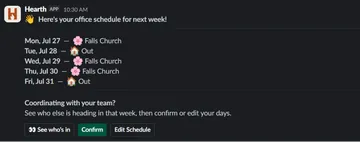
So we intend for the Slack integration to make Hearth convenient enough that people keep coming back. Each week, users will be sent a DM reminding them to confirm their planned schedule for next week. Most weeks, using Hearth is as simple as zero context switches, one button click, and less than ten seconds.
Hearth can do more
Did we mention that using Hearth is super simple? We did, but get this: anyone with a Viget email address can create an account with one-step Google SSO. Then, after a short onboarding flow, you’re shown the main calendar, from which you can view any office, edit your own schedule, or change your default settings.
In the calendar, your default schedule is shown by planning statuses for that week, and in planning mode, you can click to toggle your attendance for a particular day. These changes only affect one day in one office, and they’re updated live so other users can see any changes you make in real time. Once you’re happy with your schedule, click confirm to lock it in, updating your status for each day to “confirmed”.
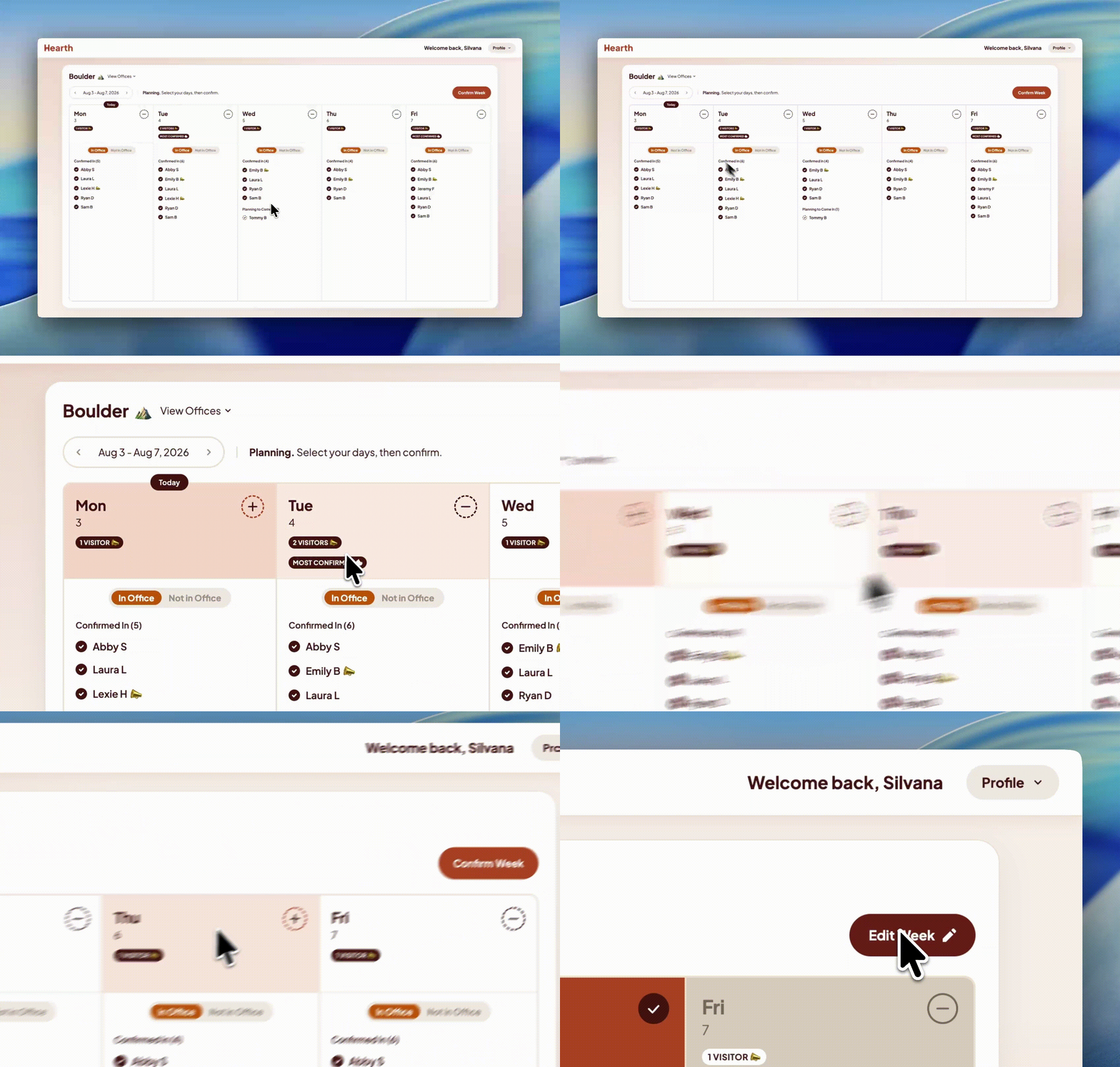
One of the fun things about Hearth is that it lets you be a little nosy and snoop around to other offices, so you can switch views and see up-to-date information on everyone’s statuses for that office. You can also schedule and confirm visits for other offices in a similar fashion.
When someone who’s not usually around visits one of the offices, it makes people more interested to come in-person. Whether the visitor hails from a different office or just works remotely, we identified this as a key visibility concern for most users.
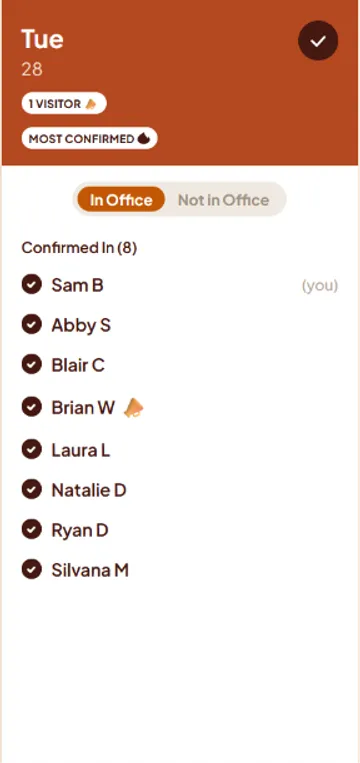
For this reason, we included a badge next to someone’s name when they visit an office that’s different from their chosen default. Similarly, we indicate which day is the most confirmed for each week, since people are more likely to choose days that are already popular. The more the merrier!
Hearth strives to balance the goals of bringing people together in person, while still being convenient and respecting their time. We hope we’ve accomplished this by creating something that makes working at Viget just a little better. Check out the project at hearth.vigetx.com.


