Big Prompts & Beagle Power: How We Built an AI Language App in 24 Hours



Laura Lighty, Senior UX Researcher,
Megan Raden, Quantitative UX Researcher, and
Liza Chabot, UX Researcher
Article Categories:
Posted on
As an experiment with AI during Pointless, we built a working language learning app in 24 hours. Here's how it went!
The Pitch
Stuck grinding through grammar drills and decontextualized vocabulary lists with no easy way to just start speaking? That's where one of our Viget teammates found herself when trying to level up her K-Drama watching experience.
For Pointless, our internal Viget hackathon, UX Researcher Megan pitched a different approach: a language learning app that teaches the way children actually learn—through simple, high-frequency words in context, not endless grammar exercises. Start with common 1–3 syllable nouns and verbs, drop them into 3–5 word sentences, and let users hear proper pronunciation while quizzing themselves.
Fellow UX Researchers Laura and Liza were hooked. We dove into Pointless to see what the three of us could experiment with and build in 24 hours using AI, without developers. We all agreed to adopt a "throw spaghetti at the wall" approach—see how much we could experiment with an AI-forward approach.
The Evening Before
We wanted the right setup so hackathon day would run smoothly. Megan turned to Claude as our technical advisor, who generated a project plan with detailed instructions on tools and how everything would connect.
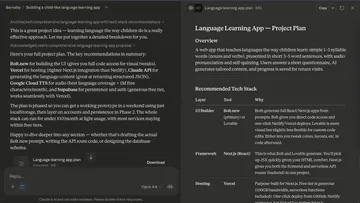
She wrote up a prompt and tested Bolt that night, immediately hitting the credit limit. She decided to come back to tooling in the morning.
On the brand side, Laura asked Gemini to generate mascot ideas and immediately fell for Barnaby the Beagle, who excitedly helps users "sniff out new words." Our mascot was born!
In the morning, we agreed we would see how far AI development could take us, then pivot from there.
Pointless Begins!
First 2 Hours
Instead of small, iterative prompts, we decided to approach development with big, detailed prompts that laid out the entire plan and functional requirements upfront.
Claude had recommended experimenting with Replit and Google AI Studio, in addition to Bolt. Megan fed the same prompt into Replit and Google AI Studio and both churned out functional prototypes within minutes. We were shocked!
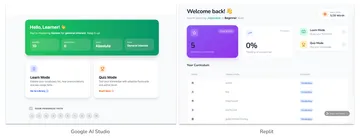
We went with Google AI Studio because we had credits, the app it produced was closer to our end goal, and its code organization was far more intuitive than Replit. This was crucial since we knew we'd need to make smaller, more specific code edits rather than just vibe-coding our way through.
Now that we knew AI could deliver functionality so quickly, we started parallel-pathing our efforts more strategically.
Next Few Hours
UX Strategy
Google AI Studio leapt into action with a fully functioning prototype quickly, but it also started filling gaps the prompt didn’t cover, like what metrics should appear on the homepage.
Aside from what information should be highlighted to the user, playing around on the working prototype uncovered a lot of new questions particularly around how users cycle through vocabulary:
- When is a word considered "mastered?"
- When can someone ask Barnaby to fetch new vocabulary words?
- What happens with inactive words that users have already learned?
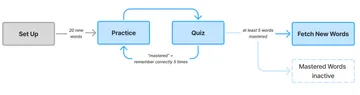
We needed to come together and streamline our UX strategy, to decide on definitions, learning states, and what information felt most important to a language learner. Megan and Laura huddled together, running through the prototype as a catalyst to define the parameters of the app moving forward.
The rest of the collaboration was asynchronous. Laura audited screenshots in FigJam to revise designs and copy. A few wireframes emerged when they were warranted, but mostly we shared annotations back and forth.
Branding
Now that we'd fallen for our mascot, it was time to riff on Barnaby!
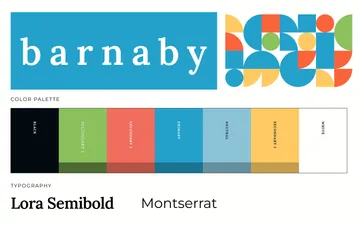
Priority one: pick colors and font families so they wouldn't block development. Liza took the beagle + "learn like a child" concept and ran with it, using AI tools to speed up the generative process and land on a simple, fun, whimsical palette.
Using Gemini to generate imagery was both fun and challenging—sometimes difficult to nail the right feel, until it would suddenly click. We had to muddle through a few versions that were, well, strange.

We loved the idea of utilizing the childlike element of crayons and finally generated one image of Barnaby that felt perfect. Using that as a jumping off point, we created a few more poses for Barnaby and the perfect logo. Barnaby's lil face now appears all over the app!
Development
As our stand-in developer, Megan confirmed we could build the right technical implementation. Our first version’s biggest flaw: Gemini’s TTS made a fresh API call on every speaker button click. Five clicks? Five calls, five slightly different audio clips. Our free tier was gone in minutes.
Megan used Claude to connect Google Cloud Text-to-Speech and debug, quickly learning that AI solutions can sometimes create new problems—like a caching function that cached and played all audio files at once.
Once she refined the code to batch-pull from Google Cloud TTS, she moved to bigger UX/UI changes. Guided by Laura’s auditing, Megan fed Google AI Studio a lengthy change list. To our horror, Google AI Studio promptly started over, which unfortunately undid some manual edits, but lesson learned!
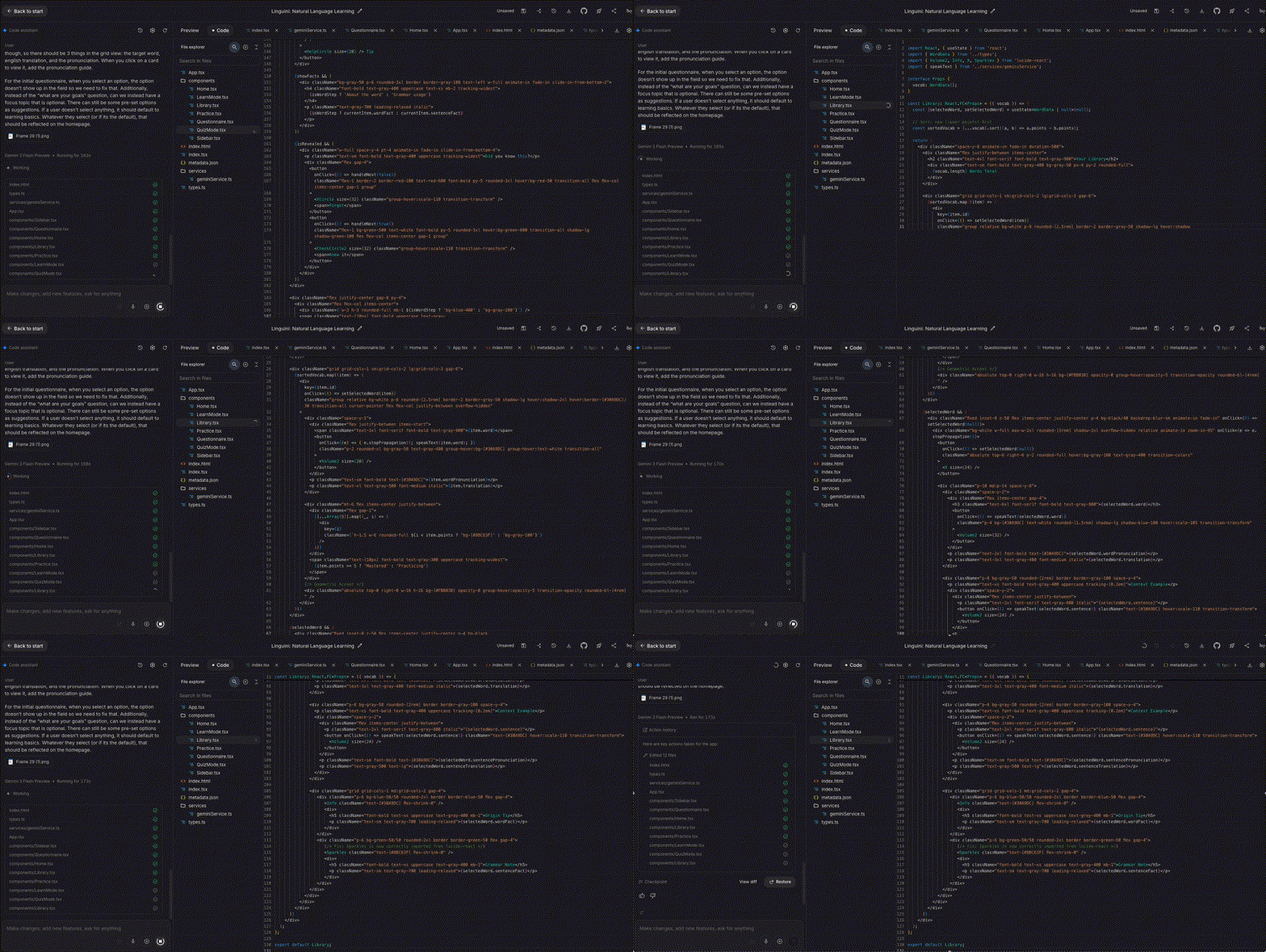
After addressing the key technical bugs, the evening was spent implementing other UX/UI changes and migrating from Google AI Studio to GitHub + Vercel for the next day’s demo.
The morning of the demo became a frantic push for branded elements, font changes and UI fixes. Jumping Barnaby on the loading screen became a personal favorite and a surprise to the team!
The Result
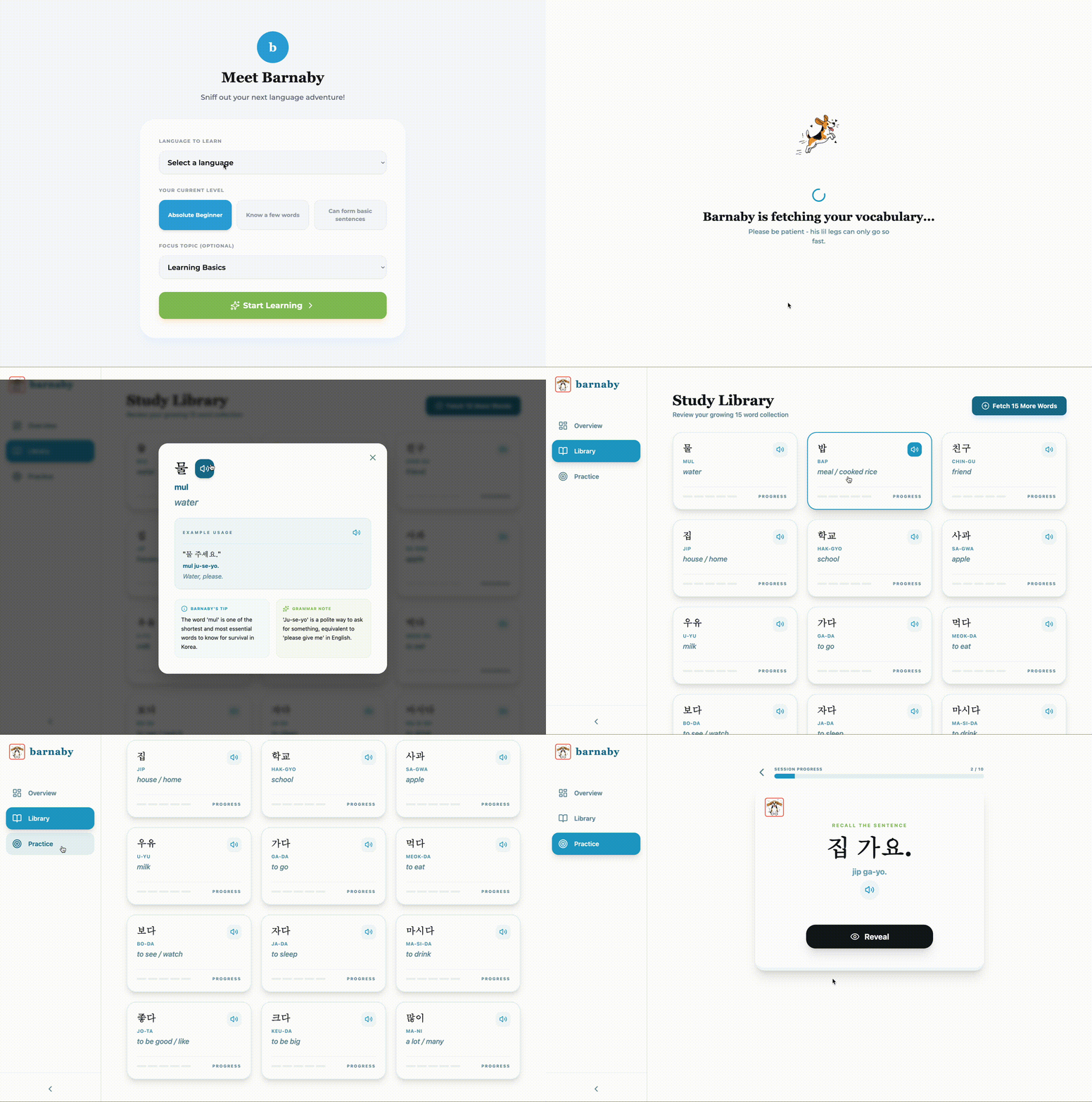
A working app supporting 14 languages (Arabic to Turkish), where users can practice vocabulary, quiz themselves, and have Barnaby fetch new words on demand!
What We Learned
- Use AI as a technical advisor: Having Claude as our technical advisor meant we could move fast in unfamiliar territory. Rather than writing app code independently, Claude helped us architect the system, debug in real time, understand our code, and make tool/API decisions. This "pair programming with AI" workflow meant even team members without deep web dev experience could move quickly and confidently.
- Rapid prototyping can unlock creativity: Getting a working prototype in minutes (not weeks) let us spend more time on strategy, UX refinement, and branding as a small team.
- Don't forget your strategic thinking: Google AI Studio filled in any gaps, making decisions about functionality, UX, and UI but not always in the right way. Moving forward, it’s important to remember to leave the strategy up to us, not AI.
And yes, three UX Researchers can build a working language learning prototype in 24 hours!


